Electronic invoicing and SDI on an e-commerce store: how it works, and a bug that broke the checkout
The symptom
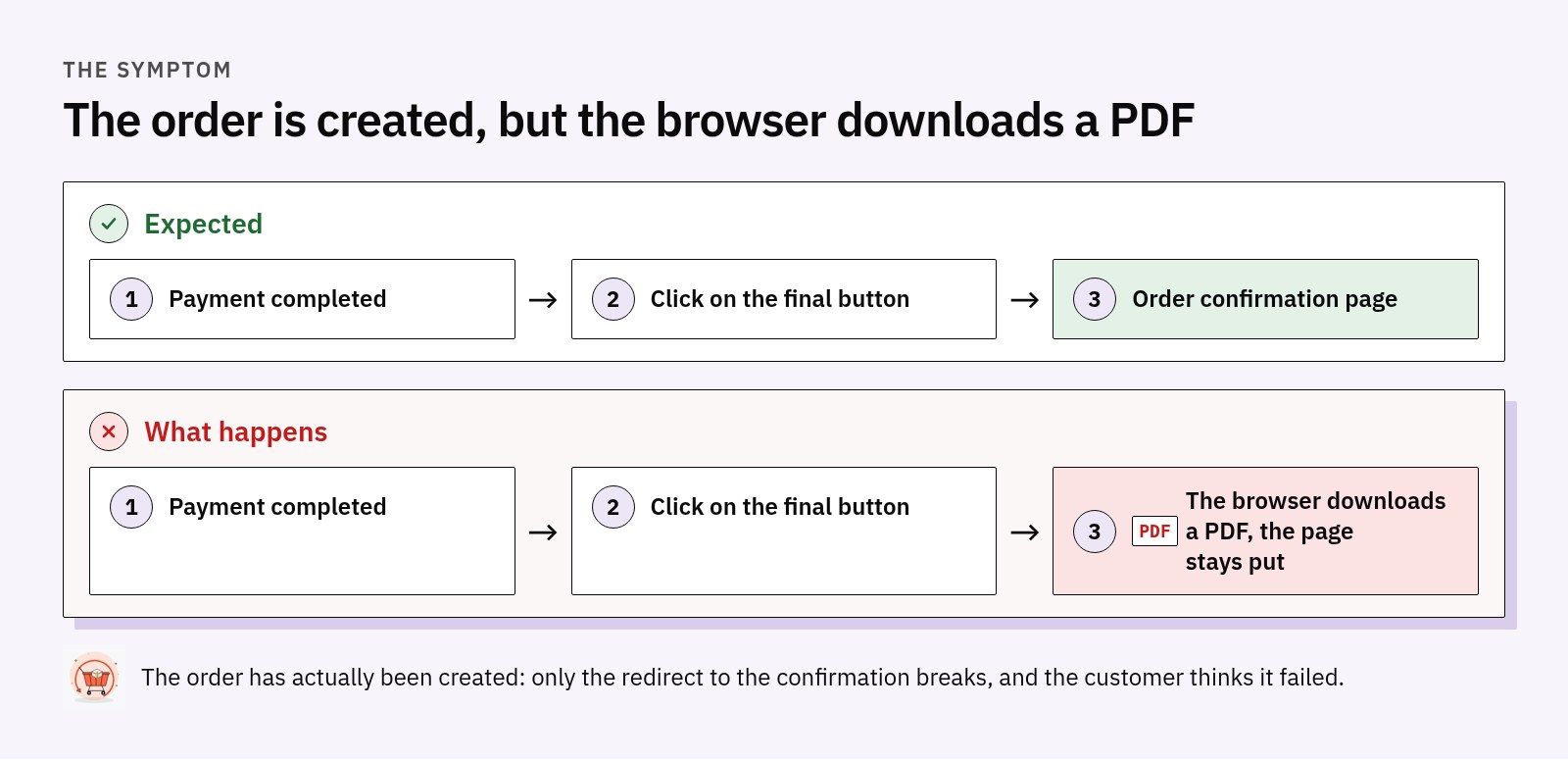
A customer completes the payment, clicks the final order button, and instead of landing on the confirmation page the browser downloads a PDF file. The checkout page stays frozen, as if nothing had happened. Seen from the customer's screen, the order appears not to have gone through: they may try again, or give up. In reality the order was created correctly: what broke is only the final step, the redirect to the confirmation, and it is an electronic invoicing module that breaks it.
How electronic invoicing really hooks into the checkout
On PrestaShop, a module that generates invoices and sends them to the Italian Sistema di Interscambio (SDI, the national exchange system for electronic invoices) relies on a couple of standard attachment points, the hooks. The first is a hook on the order status change (typically when the status becomes "payment accepted"): at that point the module creates the invoice document, numbers it and, in the most complete setup, also sends it to the electronic invoicing service that forwards it to the SDI. The second is a hook that PrestaShop calls every time the PDF of an order's invoice has to be shown or generated: displayPDFInvoice. This second hook is designed for one precise case: a customer or a back-office operator who explicitly asks to download the invoice as a PDF.
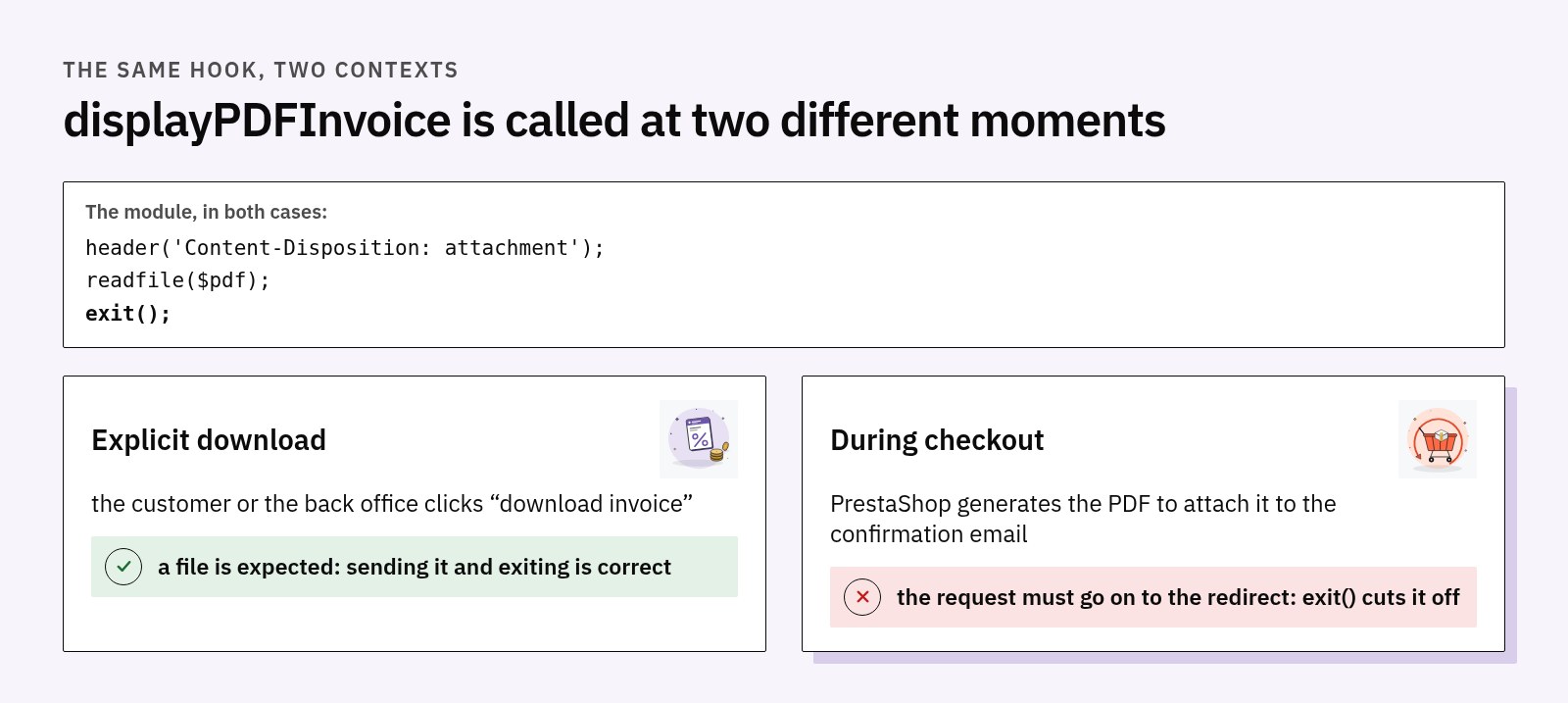
The problem arises because PrestaShop calls the same hook, displayPDFInvoice, at another, less obvious moment: when it automatically generates the PDF invoice during the checkout, for example to attach it to the order confirmation email. It is the same hook, but in a completely different context: in the first case a customer has clicked "download invoice" and expects a file; in the second, the system is only preparing an attachment in a flow that has to continue with a redirect to the confirmation page, not with a download.
Where the conflict really comes from
An invoicing module written without distinguishing the two cases implements displayPDFInvoice in the most direct way possible: it retrieves the PDF of the invoice already generated (in our case, downloaded from the remote invoicing service), sets the HTTP headers for a download (Content-Disposition: attachment), streams it with readfile() and ends the request with exit(). That is correct for the "download the invoice" case. It is wrong for the "I am only generating the attachment for the email" case: that exit() interrupts the HTTP request in progress, which was not a download request at all; it was the final checkout request, the one that had to continue all the way to the redirect to the order confirmation. The result is exactly the symptom described above: the browser receives a file instead of the page it expected.
The bug affects every order for which the invoice is generated automatically during the checkout, not just special cases: it is a matter of when the hook is called, not of which product is bought.
How to diagnose it
The symptom alone (a download instead of the redirect) pointed to the installed invoicing module: in the case we followed, FattureInCloud, the official integration with the electronic invoicing service of the same name. With an order placed for testing and automatic invoicing active, the behavior could be reproduced reliably: payment, order completion, PDF download instead of the confirmation. Reading the module's hookDisplayPDFInvoice method, you find exactly the sequence described above, download headers followed by readfile() and exit(), with no condition that tells where the call comes from.
How to fix it, without giving up the real download
The solution is not to remove the download function (the customer and the back office must still be able to download the invoice when they really ask for it): it is to make displayPDFInvoice behave differently depending on the context. Before streaming the file and exiting, the code checks whether the current request is really an explicit download request, for example the back-office controller dedicated to the PDF, or the front-office controller that serves only that purpose, or an action parameter that clearly says "generate the PDF to download". If none of these conditions is true, the hook simply hands control back to PrestaShop instead of streaming and exiting, letting the checkout continue normally; the invoice is still generated where needed, it is just not streamed as a download at that point in the request.
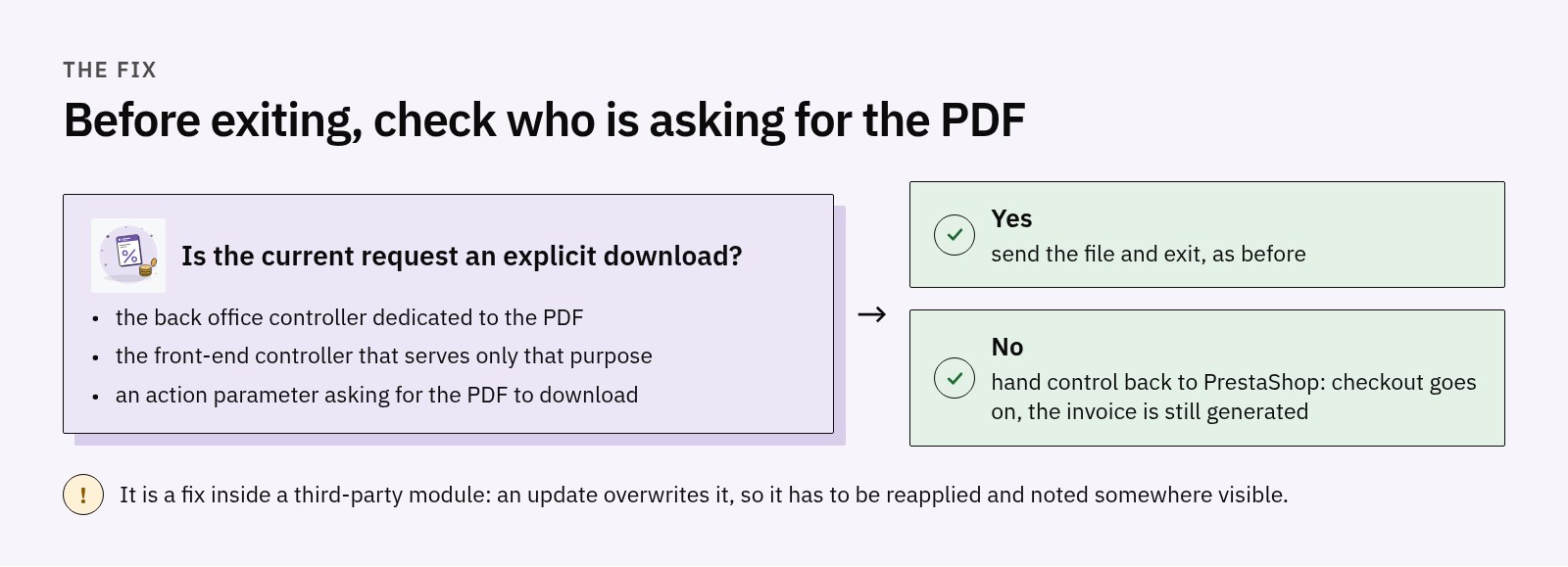
It is a small fix, a few checks on what the current request is asking for before the exit(), but it depends on a change to a third-party module: if the module is updated to the official version, the fix has to be reapplied, because an update overwrites the original file. It is worth keeping a record of it somewhere visible, not only in the modified code.
How to recognize it on your store
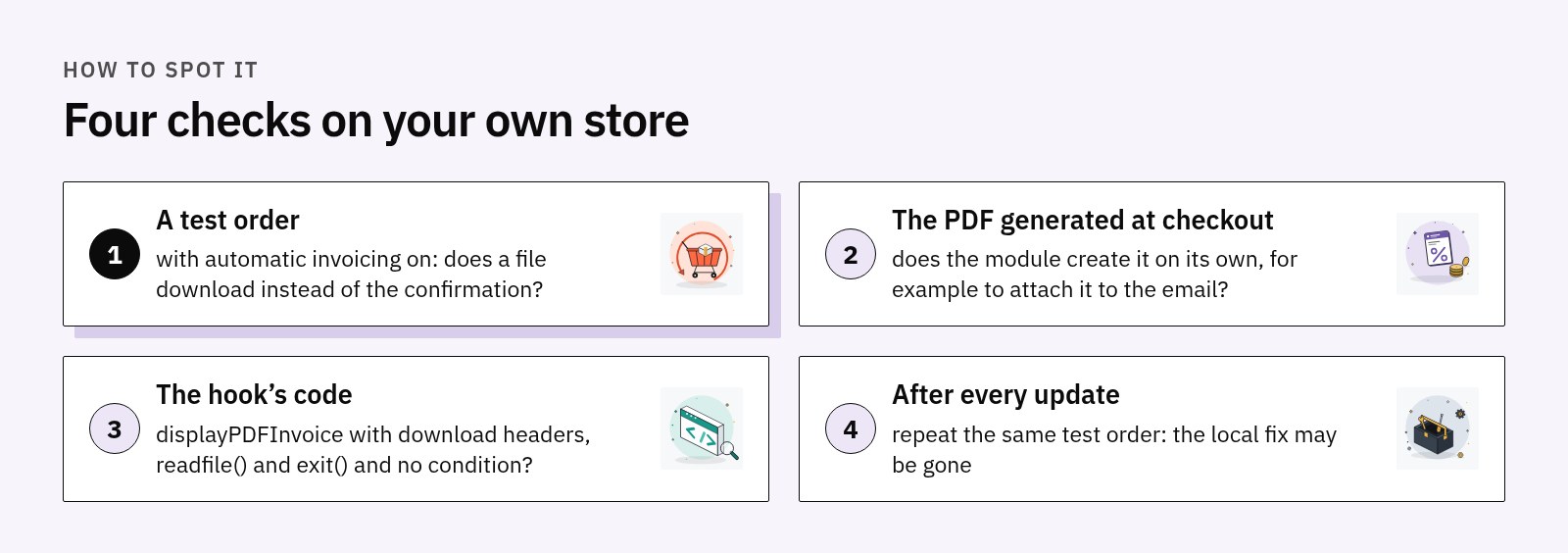
- Place a test order with automatic invoicing active and watch what happens right after the payment: if the browser downloads a file instead of showing the confirmation page, the order has probably gone through anyway, but a hook is interrupting the response at the wrong moment.
- Check whether the installed invoicing module automatically generates the PDF during the checkout (for example to attach it to the confirmation email): if so, you are in the case where this kind of bug shows up.
- In the module's code, look for the implementation of the
displayPDFInvoicehook (or its equivalent in older modules) and check whether it contains a combination of download headers,readfile()(or similar) andexit()/die()with no condition on the caller. - If you update the module, repeat the same test order: an update can silently reintroduce the problem if it overwrites a local fix.
A note, to be clear
This is not a judgment on the general quality of any product: it is a specific mechanism, the same hook called in two different contexts without telling them apart, which can happen to any module written with only the "explicit download" case in mind and not the "automatic generation during the checkout" case. It is worth checking with any electronic invoicing integration, not only the one where we found it. We do not sell an invoicing module: this article has no product to offer at the end, only a mechanism to know about if you install one.