PrestaShop contact form spam: why a banned-words antispam does not work
Two ways of wasting time, and the second is worse
The inbox that receives the contact form messages ends up with two things: customer requests and unsolicited proposals, meaning search engine ranking, link building, developers for hire by the hour, invitations to invest in cryptocurrencies and, now and then, an attempt to get hold of the back-office credentials.
The first way of wasting time is to read everything. The second, worse one, is to stop reading: when almost everything is junk, the good message only gets a passing glance. A lost contact leaves no error in the logs, it leaves a customer who walks away without saying why.
Why a list of banned words does not work
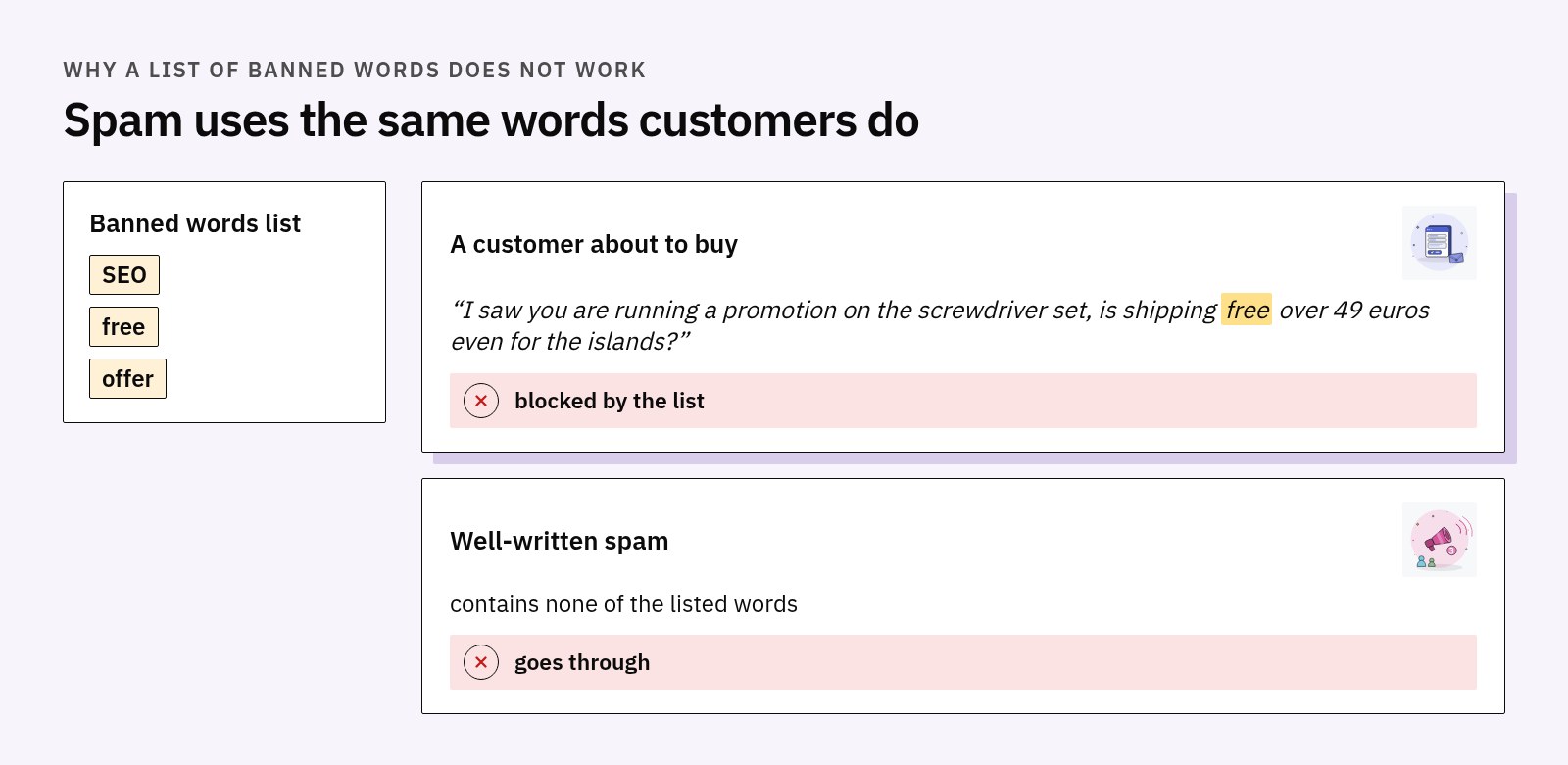
The most widespread defense is a list of words: if the message contains "SEO", "free", "offer", it gets thrown out. It works for a week, then the bill arrives, because the words that appear in spam are the same ones customers use. "I saw you are running a promotion on the screwdriver set, is shipping free over 49 euros even for the islands?" is a customer about to buy.
The flaw is not in the list, it is in the method: a word does not carry with it the intent of the person who wrote it. It also works the other way round, because well-written spam contains no suspicious word at all. Raise the severity and you block more real customers, lower it and more spam gets through: no setting solves it, because it is not the right signal.
Why the captcha is not enough
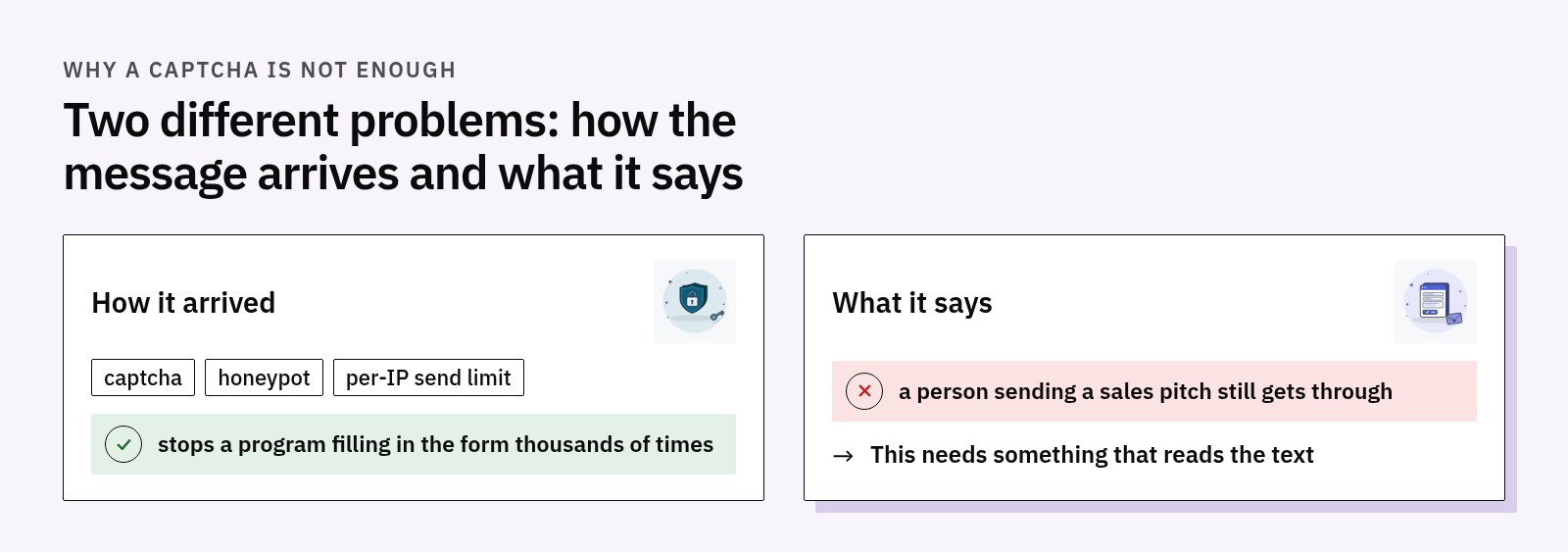
A captcha solves a different problem, and solves it well: it stops a program from filling in the form thousands of times. It does not stop a person from sending a commercial proposal, nor a program able to solve it from doing the same. Captcha, honeypot and a per-IP sending limit look at how the message arrived; here the problem is what is written inside it.
A model that decides instead of writing
The fashionable answer to "is this message spam?" is to ask a language model: you write a prompt and hope that the text that comes back can be interpreted. It works until the day the model answers "I would say yes, although it depends", and the code that expected YES or NO decides at random.
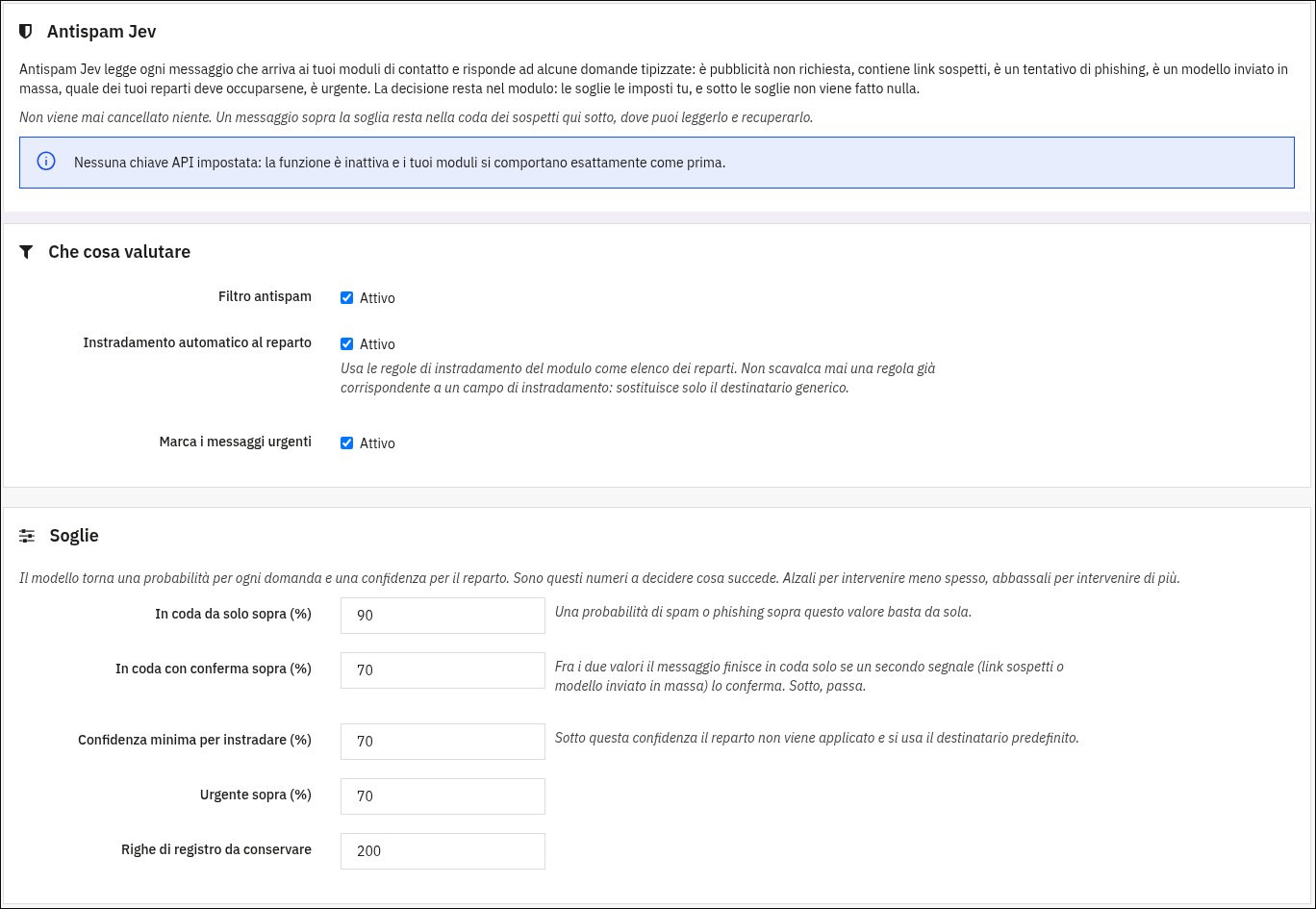
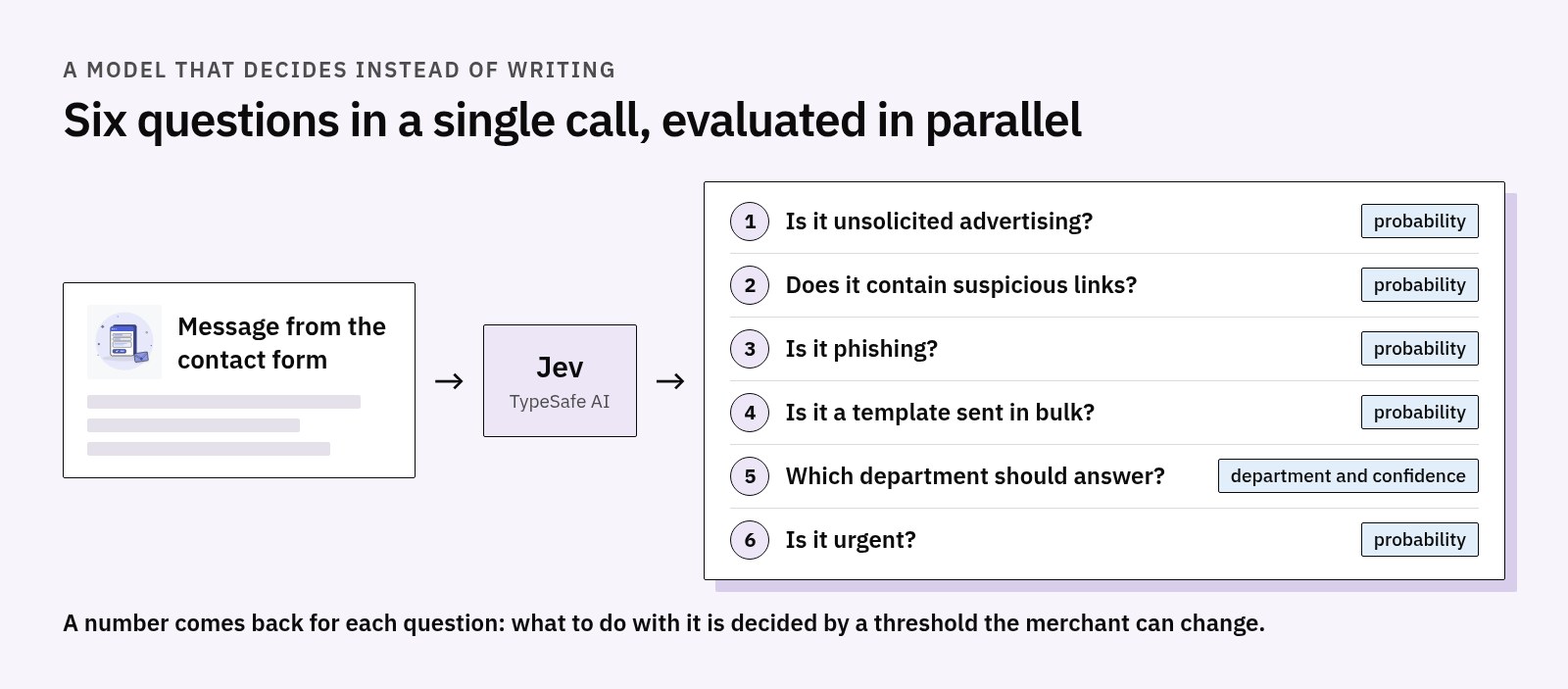
There is a type of model designed for the opposite case: it does not generate text, it answers typed questions. It returns a number for each one: for a yes/no question, the probability that the answer is yes; for a multiple-choice one, the chosen option, the probability of each and a confidence score, meaning how clear-cut that choice is compared with the others. The Antispam Jev feature of our contact forms module is built on one of these models, Jev by TypeSafe AI.
The practical difference is that the decision stays in the code: the model says how sure it is, and what to do about it is decided by a threshold that the merchant can change. For each message, six questions go out in a single call, evaluated in parallel: is it unsolicited advertising, does it contain suspicious links, is it phishing, is it a template sent in bulk, which department should answer, is it urgent.
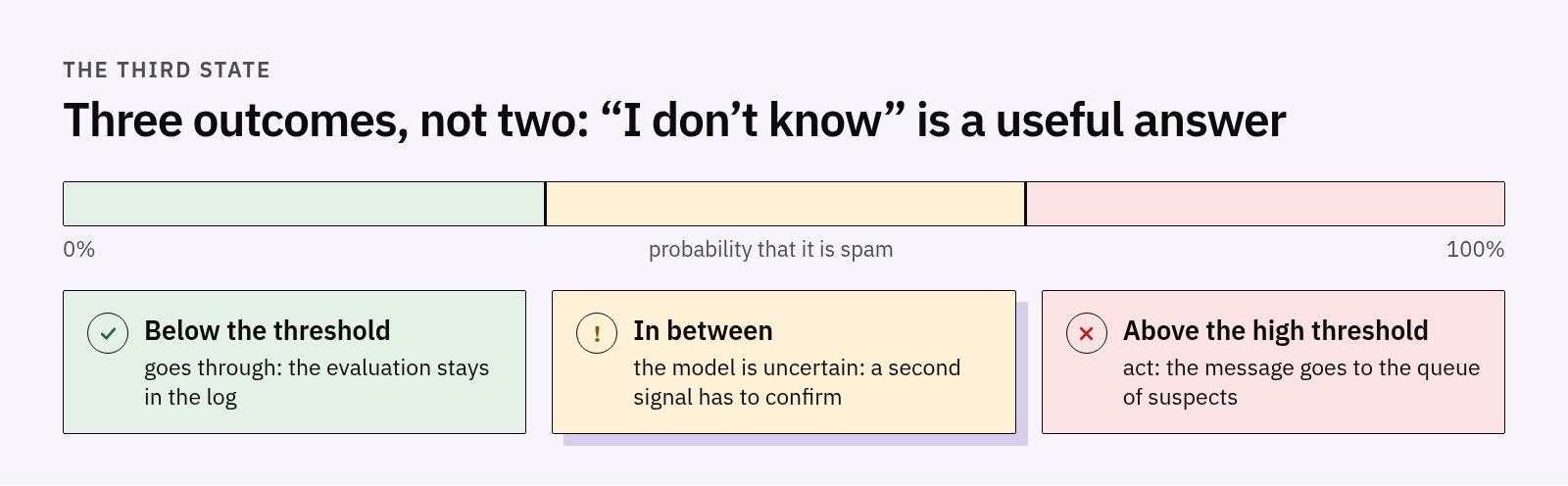
The most important point is the third state. Above the high threshold you act and the message ends up in a queue of suspects; below it you do nothing, it goes through, and the evaluation stays in the log; in between, where the model is uncertain, a second signal is needed to confirm. "I don't know" is a useful answer, if the code is written to listen to it.
What we measured
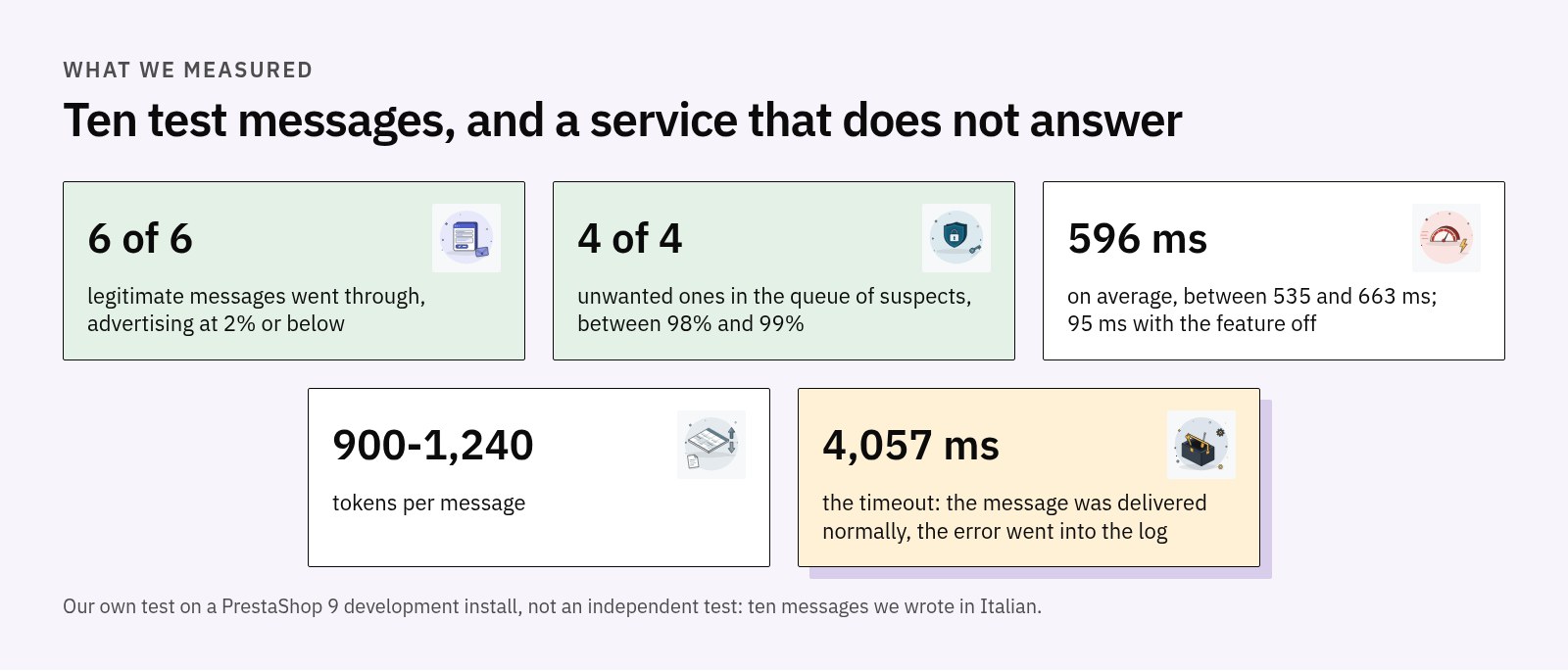
These numbers come from a test of ours on a PrestaShop 9 development installation, not from an independent test: ten messages written by us in Italian, six legitimate and four unwanted.
The six legitimate ones were chosen to be difficult: an angry customer asking for a refund and threatening to dispute the charge with their bank, one written entirely in capitals, one with a link to the sender's own company website, a very long and confusing one, one of two words in Italian ("Do you ship to Sicily?") and the one full of "free", "offer" and "promotion". All six went through, with a probability of unsolicited advertising that stayed at 2% or below. The four unwanted ones (SEO proposal, phishing with a shortened link, invitation to invest, generic template sent out in bulk) all ended up in the suspects queue, between 98% and 99%.
The ten calls took between 535 and 663 milliseconds, with an average of 596 ms, consuming about 900 to 1,240 tokens per message. With the feature switched off, the same submission took 95 ms: the extra half second is the price of the evaluation, and you only pay it if you turn it on.
The test we cared about most was a different one: we pointed the module at an address that does not respond. After 4,057 milliseconds, which is the configured timeout, the message was delivered normally and the error was written to the log. The same happened with no key and with a wrong key.
What it deliberately does not do
It deletes nothing. Recognized spam goes into a queue that the merchant opens and reads, and from which a message can be recovered with one click, in which case the held notification is sent. The visitor sees the confirmation screen anyway: someone who sends spam is not told how they were filtered, and a customer who ended up there by mistake does not see themselves rejected.
It does not override the merchant's choices: the routing chooses among the departments actually configured in the module and steps in only where the generic address would previously have been used. Below the confidence threshold, the default recipient stays.
The limits, stated up front
The text of the message is sent to a third-party provider in the United States: it is a transfer of personal data outside the European Union, and it has to be stated in the shop's privacy policy. That is why the feature is off by default, why the panel says in plain words what leaves and where it goes, why sending the sender's email address is disabled unless explicitly chosen, and why the module provides a ready-made sentence to paste into the privacy policy in five languages: a text to adapt and have checked, not legal advice.
The service is recent and billed by usage: when the credit runs out it stops responding, and messages go through as with any other error. And ten messages say that on those ten the filter did not get it wrong, not that it will never get it wrong: that is why the queue exists, and why every evaluation is recorded with probability, confidence, time and tokens.
Where to find it
Antispam Jev is a feature of our contact forms module for PrestaShop, not a separate module: those who already use it will find it in the configuration, switched off. If the problem you recognize is the second one in this article, the real message that gets lost among the others, it is the one it was built for.